
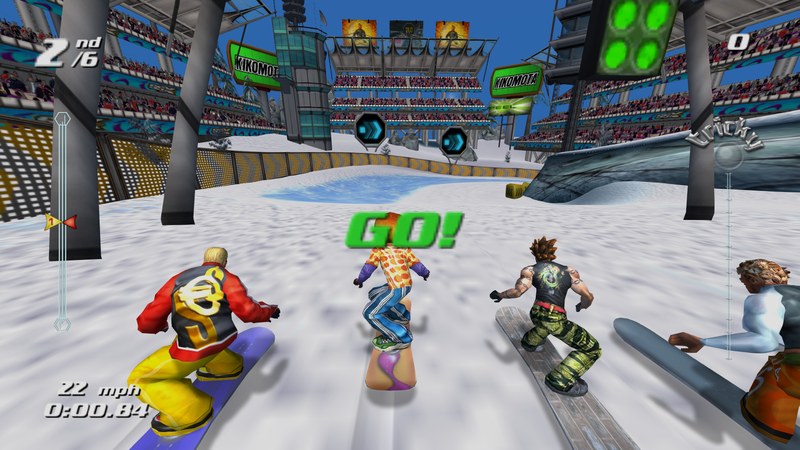
FAQ
- Can I play SSX Tricky on PC?
- Yes, with OpenTricky and your own copy of the game: a disc image of SSX Tricky for the original Xbox, USA release. OpenTricky runs it natively on Windows 10 and 11, with a launcher, any resolution, ultrawide and high frame rates. See the install guide.
- Was there ever an official PC version of SSX Tricky?
- No. SSX Tricky came out in 2001 on PlayStation 2, GameCube and Xbox, and later on Game Boy Advance. OpenTricky is an unofficial fan port, built from the Xbox version.
- Is this an emulator?
- No. The game's code is translated once into a normal Windows program. Only the console's graphics, sound and input chips are reimplemented, on Direct3D 11, XAudio2 and XInput (and SDL for PlayStation controllers (experimental)).
- Why do I need my own disc image?
- The game isn't ours to share: its disc image, music and videos are not distributed here. The launcher reads your disc image each time you play and never changes it.
- Which disc image works?
- SSX Tricky for the original Xbox, USA release. Both an extract-xiso image (
.xiso) and a full disc dump (.iso) work. - Can I use the PS2 or GameCube version?
- No. The port is built from the Xbox program. The controls follow the PS2 layout, though.
- Does it run on Linux or the Steam Deck?
- Yes. With Proton Experimental, performance may be lower: if so, try Proton 10 or PortProton, and report it with your logs in #bug-reports. The game is a plain Direct3D 11 Windows program, and the launcher can be used with a controller; on a Steam Deck, the Steam Deck preset (1280×800, 60 FPS) is applied by itself at the first start. See also the known issues.
- Are the high frame rates real?
- The game logic runs at 60 steps per second, as in the original game, so the physics, the computer riders and the replays behave the same. The camera and the riders are interpolated between those steps. With a frame rate limit, VSync on (the default) and a PC that keeps up, motion is smooth at 120, 144, 240 FPS and above. Without VSync, motion above 60 FPS is less even than with it, even at a higher frame rate: see the known issues.
- Which controllers work?
- Xbox-style (XInput) controllers and the keyboard. A DualShock 4 or DualSense can be used directly: turn on Settings → Controls → PlayStation controllers (experimental) (Off by default), unless Steam Input or DS4Windows already runs it. Other controllers can go through Steam Input or DS4Windows. See Controls.
- How do I update?
- The launcher tells you when a new version is out and can install it for you, after checking the download. You can turn it off: Check for updates → Never. See Updating: it also says what to do if the game starts without the launcher. From 0.1.2 or 0.1.3, your launcher updates the game. It checks once a day: to check again now, quit it, remove
update-cache.txtnext tosettings.iniand start it again. From 0.1.1, install the new version fresh instead (below). From 0.1.4 on, you can check at any time: Settings → Advanced → Updates → Check now, or the launcher's version number, top right (click it). - How do I go from 0.1.1 to 0.1.6?
- Install 0.1.6 fresh, in a new, empty folder, rather than through the update offered by the 0.1.1 launcher. Saves in
Documents\My Games\SSX Tricky\Savesstay where they are; if your saves were inside the old folder (aSavesfolder withportable.txt, or anhddfolder), copy that folder (andportable.txt) into the new one. Don't copysettings.ini, choose your disc image again (and your save folder, if you had chosen one), make your shortcuts again (the game is nowbin\SSX Tricky.exe), then delete the old folder. Step by step: Coming from 0.1.1. - Does the launcher send anything?
- To check for updates, it asks GitHub's public API which releases exist. Nothing else is sent: crash reports and bug report zips stay on your PC until you attach them yourself. With Check for updates → Never, it makes no request at all, unless you press Check now or click the version number.
- Does this website track me?
- It counts visits with Cloudflare Web Analytics, which uses no cookies or local storage and collects no personal data. The rider counter at the bottom adds one when you arrive and stores nothing about you; your browser tab only remembers that you were counted, so a reload doesn't count twice. There are no ads and no other trackers.
- Where are my saves?
- In
Documents\My Games\SSX Tricky\Saves, or inSavesnext toOpenTricky.exewhen you useportable.txt. If anhddfolder with saves from an earlier version is still next toOpenTricky.exe, the game goes on using it. You can pick another folder in Settings → Game → Save folder. Before a save is overwritten, the game keeps a copy of the previous one in aUDATA-backupfolder, in the same place. With Save profile → Unlock all, the game uses a separate save in anUnlockAllfolder inside your save folder. - Can I unlock everything?
- Yes: Settings → Game → Save profile → Unlock all. It turns on the game's own unlock cheat, with a separate save, so your own save is never touched. Back on My save, your progress is there as you left it.
- Where are my settings?
- In
settings.ini, next toOpenTricky.exe, or inDocuments\My Games\SSX Tricky\if the game's folder can't be written. - Is online multiplayer planned?
- It is being explored, but it isn't part of this release.
Help & bug reports
- PLAY is greyed out.
- The launcher hasn't found a good disc image yet. It says why: No disc image yet, Not found (the file was moved or renamed, or the drive is not connected), Incomplete (probably an interrupted copy), Wrong disc image (not SSX Tricky for Xbox, USA release), or Folder not readable (move the disc image to a folder whose name uses only plain letters). Click the disc label at the top, or the drop area: Find my disc image lists the SSX Tricky (USA) disc images it finds, or lets you browse for your
.isoor.xiso. - Windows says the program isn't safe.
- Windows SmartScreen warns about programs that aren't code-signed. If you trust the download, choose More info → Run anyway.
- The game closed on an error.
- The launcher shows what happened and can Prepare a bug report: a zip on your Desktop, without your disc image or your saves. Nothing is sent: attach it to your report yourself.
Reporting a bug
Please open an issue on GitHub, or post in #bug-reports on the Discord, and include:
- the version: shown in the launcher (Settings → Advanced → About OpenTricky) and on the first line of
SSX Tricky.log; - your settings: resolution, screen shape, frame rate limit and the extras you use;
- your graphics card and CPU;
- the log file
SSX Tricky.log, next tosettings.ini(Log file is on by default; Settings → Advanced → Logs → Open opens its folder); - after a crash or a freeze: the report folder the game saved in
CrashReportsnext toOpenTricky.exe, or the zip made by Prepare a bug report; - an F12 screenshot if something looks wrong, and where in the game it happened.
Questions, screenshots or just want to chat? Join the OpenTricky Discord.